

Reusable blocks and merge tags
Both of these save you editing the same thing in many places. A reusable block is a whole section of a page. A merge tag is a single value inside a title or description.
Reusable blocks
Section titled “Reusable blocks”A reusable block is a named set of blocks, such as a guarantee strip or a “how to order” section. Change it once and every place showing it changes.
To make one: Content Management › Reusable Blocks › New reusable block. Give it a Title (staff see it, visitors don’t), build its blocks, and leave Enabled on. You need the Manager role.
To show it:
- on a page or post, add a Reusable Block block and pick it under Block;
- in a theme’s widget area, use the reusable block widget: see Widgets.
What to expect:
- It applies to every site that shows the page. The blocks inside it have their own globe buttons, so a part of it can be limited to some sites, and so can the Reusable Block block that places it.
- A reusable block can’t contain another reusable block.
- Turning Enabled off hides it everywhere at once. It stays in the list marked “(disabled)” when you pick one, so it is an easy way to pull a seasonal message.
- Delete can’t be undone. Pages that used it simply show nothing in that spot, with no warning, and there is no list of where it is used. Turn it off first if you are unsure.
Merge tags
Section titled “Merge tags”A merge tag is a named value you type into text as {{name}}. A phone number used in many page titles
is the usual case: keep it in one place instead of retyping it.
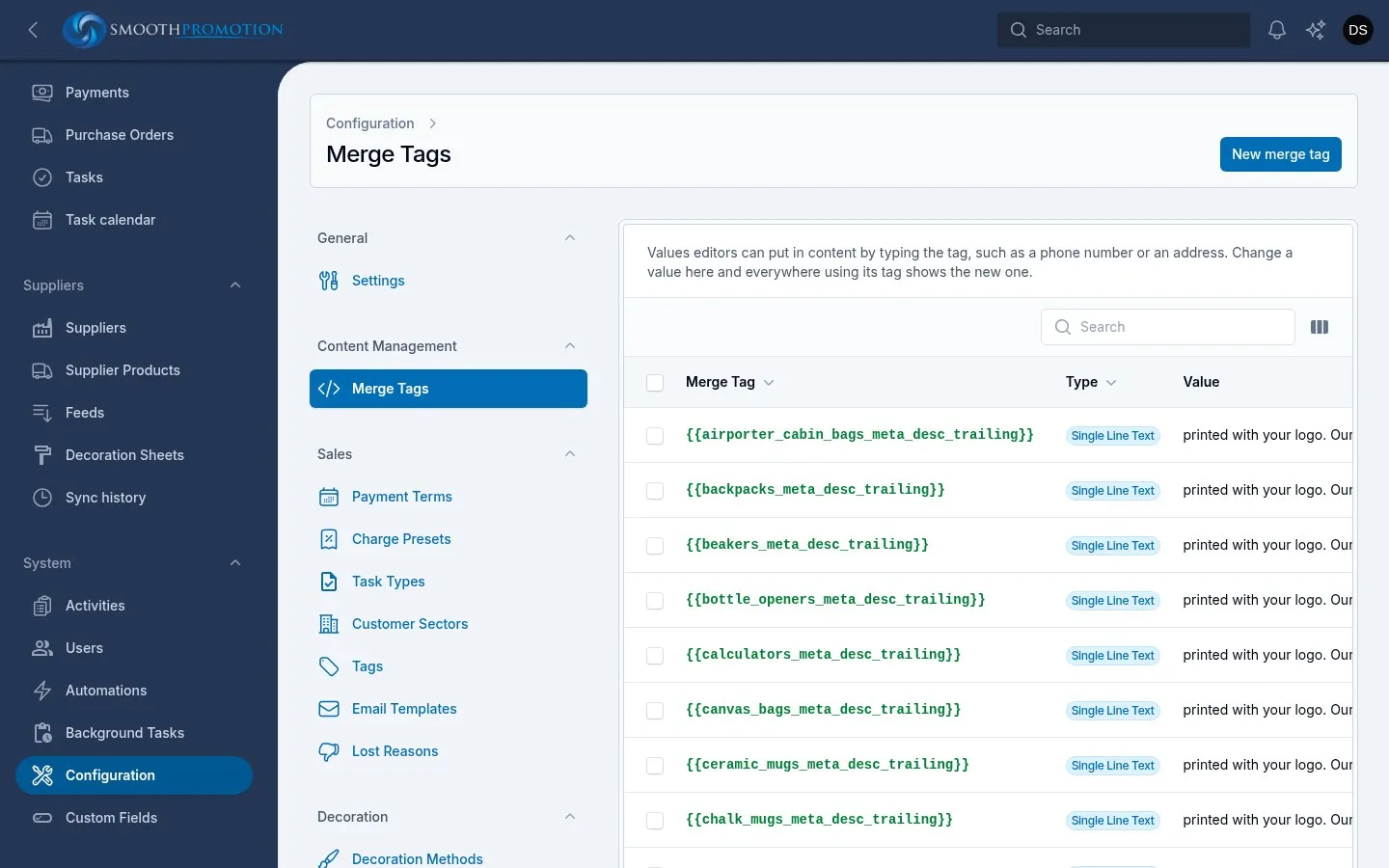
Merge tags live under System › Configuration › Content Management › Merge Tags. You need the Manager role.
New merge tag asks for:
| Field | What to enter |
|---|---|
| Name | What you’ll type between the braces: letters, numbers, dashes and underscores |
| Type | Single Line Text, Multiline Text or HTML. This only changes the box you edit it in |
| Value | The text that replaces the tag |
These tags are also available without creating anything:
| Tag | Becomes |
|---|---|
{{site.name}} |
The name of the site being shown |
{{site.domain}} |
Its domain |
{{site.url}} |
Its address |
{{this.title}} |
The entry’s own title ({{this.name}} on a category), and likewise its other text and number fields, using that site’s wording |
A value you create is the same on every site. For something that differs by site, use a {{site...}} tag
or a per-site override.
Where merge tags work
Section titled “Where merge tags work”They work in:
- the Title or Name, and the Description, of pages, posts and categories;
- an entry’s own Meta Title and Meta Description;
- SEO templates, where they are most useful.
The placeholders in sales emails look the same but are separate: see sales setup.
Changing a value
Section titled “Changing a value”Tags in titles, descriptions and SEO text are filled in when an entry is saved and rebuilt, not each time a page is viewed. So a new value doesn’t reach entries already on the site until they are next rebuilt, which happens when you change that entry’s title, slug, description or status. To update everything at once, ask a technical person to rebuild the sites’ content.