

Activity log
The activity log records who changed what, with the values before and after. Use it to answer “who changed this price?” or “when did this rule change?”. You see it in two places.
History on a record
Section titled “History on a record”The History button opens a panel with one record’s changes, newest first. Anyone who can edit a record can see its history. You see only that record’s, not the whole log.
Look for it on the edit page of pages, posts, post categories, products and product categories, on users and automations, and on invoices and credit notes. On configuration lists such as brands or rules it is on each row.
The Activities screen
Section titled “The Activities screen”System > Activities is the whole log. Only super admins can open it, and nobody can edit or delete an entry.
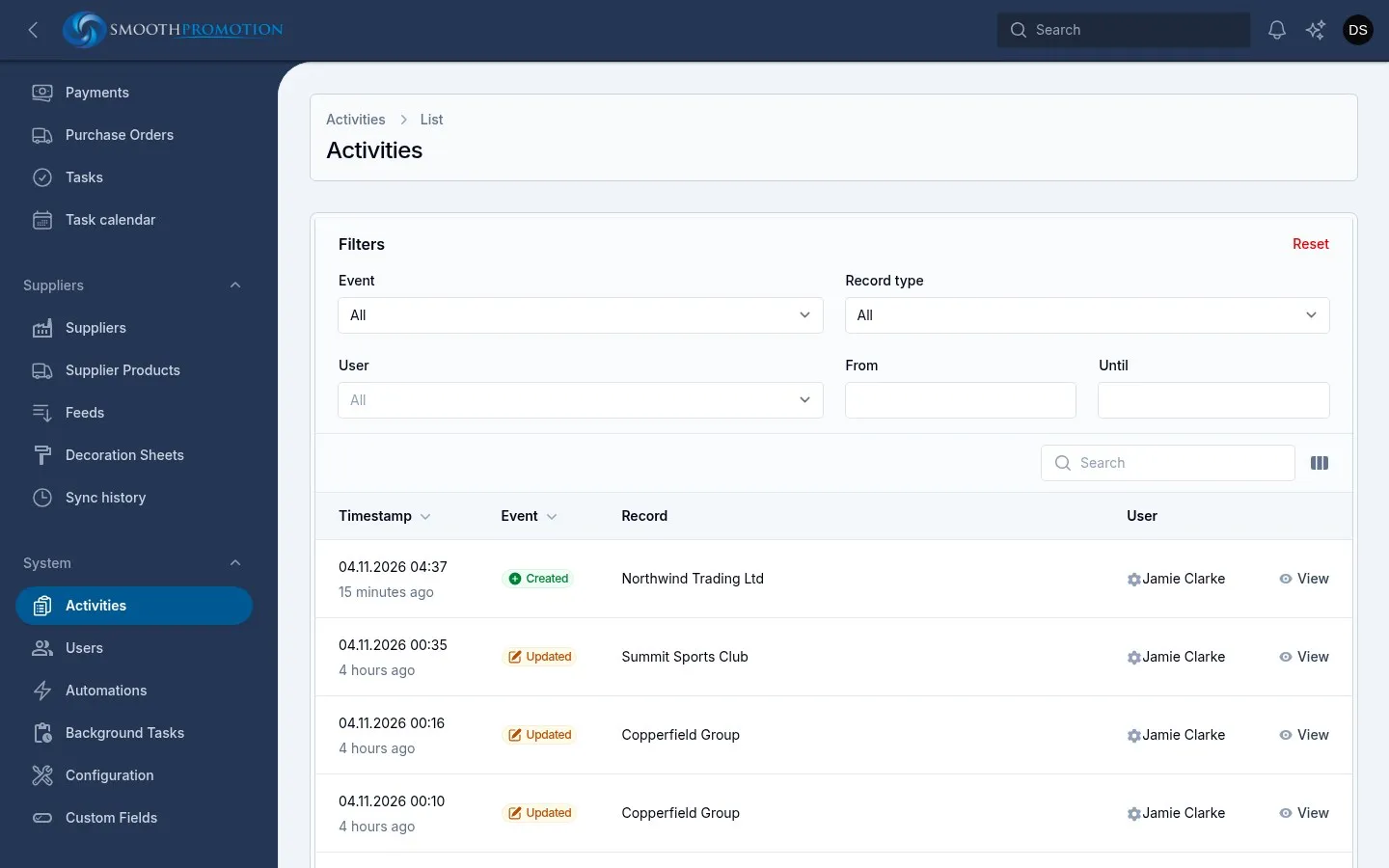
| Column | Shows |
|---|---|
| Timestamp | When, and how long ago |
| Event | Created, Updated, Deleted or Restored |
| Record | What it happened to |
| User | Who did it, or System |
Description and Log are optional columns. Log is the area: catalog, content, sales,
access or automations.
Filter by Event, Record type, User, and a From and Until date. Open an entry to see its Changes, and to follow a link to the record if it still exists.
What is logged
Section titled “What is logged”| Area | Records |
|---|---|
| Content | Pages, posts, post categories and post tags, including their custom fields and links |
| Catalog | Products, product categories, brands, certifications, decoration methods and branding rules, decoration sheets, text rules, protected words, search synonyms, photo rules, photo download rules, split rules, supplier category, method and position mappings, feed settings |
| Sales | Invoices, credit notes, their lines, and payments |
| Access | Staff accounts: name, email, phone and roles. Never passwords |
| Automations | Automation rules |
Other things are not in this log, including customers, quotes, sales orders, purchase orders, sites and the Settings screen. A customer’s page has its own timeline: see Customers. Bulk imports from the old system were not logged either.
The log tells you what changed. It can’t undo a change, so to go back, edit the record again by hand.
How long entries are kept
Section titled “How long entries are kept”365 days to start with, then they are deleted each night. Change it with Keep the activity log for under Housekeeping.