

Suppliers and feeds
Most of the catalog comes from suppliers’ data feeds rather than being typed in. A feed is the connection to one supplier: its product list, costs, print prices and, for some, stock. Smooth reads it, holds a copy of everything the supplier offers, and lets you choose what to sell. Once a product is in the catalog, the feed keeps it up to date.
Feeds and everything on these pages apply to the whole catalog, not to one site. Which sites show a published product is decided by each site’s content rules.
Everything here needs the Catalog editor, Manager or Super admin role.
From feed to live product
Section titled “From feed to live product”| Step | What happens | Who does it |
|---|---|---|
| 1. Sync | The feed is read and every product it lists appears under Supplier products as New | The schedule, or Sync now |
| 2. Map | The feed’s own categories are mapped to ours | You, once per category: category mapping |
| 3. Add to catalog | Chosen products become draft catalog products with variants, costs, branding, text and categories. Photos and documents download in the background | You: adding products |
| 4. Check and publish | You look over the draft and set it to Published | You |
| 5. Keep in line | Every later sync updates costs, stock, variants and untouched text | The schedule: syncing |
Nothing reaches a storefront by itself. A new product in a feed stays on Supplier products until someone adds it, and it stays a draft until someone publishes it.
Supplier products: the staging area
Section titled “Supplier products: the staging area”Suppliers > Supplier products lists what suppliers offer, whether or not you sell it. It is separate from the catalog: nothing here is on a site, and a sync can freely change it. Each row has a status:
| Status | Meaning | Set by |
|---|---|---|
| New | In the feed and not in the catalog: waiting for a decision | The sync |
| In catalog | Added to the catalog; syncs keep the catalog product up to date | Add to catalog |
| Ignored | Never to be added. Stays ignored through every sync until you undo it | You |
| No longer supplied | Gone from the feed. A catalog product made from it is kept | The sync |
A code that comes back to the feed returns to New or In catalog.
The menu
Section titled “The menu”| Screen | What it is for |
|---|---|
| Suppliers > Suppliers | The companies you buy from: details, contacts and purchase orders. A supplier has one feed at most; one with none has its products added by hand |
| Suppliers > Supplier products | Every feed’s products, for browsing and adding |
| Suppliers > Feeds | One row per feed. Open one for its Settings, Products, Categories, Methods, Positions and Sync history |
| Suppliers > Sync history | Every feed’s sync runs, newest first |
| Suppliers > Decoration sheets | Branding price lists kept here rather than read from a feed: branding setup |
| Configuration > Catalog | Text rules and protected words, photo rules and photo download rules, split rules |
| Configuration > Decoration | Decoration methods and branding rules |
Which feeds exist
Section titled “Which feeds exist”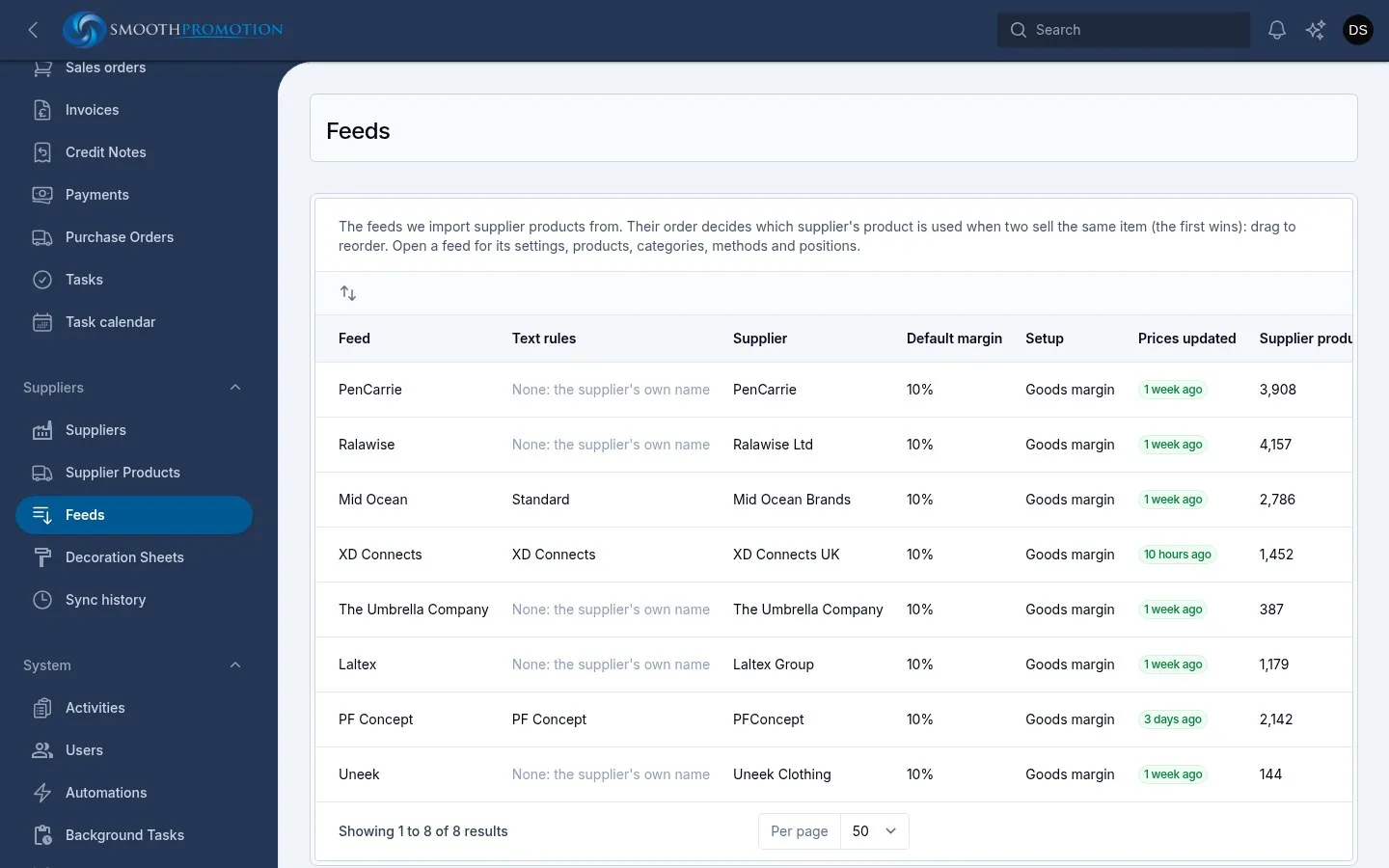
| Feed | Stock in the feed |
|---|---|
| Mid Ocean | Yes |
| The Umbrella Company | No |
| XD Connects | Yes |
| Laltex | No |
| PF Concept | No |
| PenCarrie | Yes |
| Ralawise | No |
| Uneek | Yes |
Feeds are set up in code, so a new supplier feed is a job for a developer. See supplier feeds. Each feed’s settings page has a section How this feed is adjusted, which lists what Smooth does for that supplier alone and why: fixes to its data, and business rules for it. These can only be changed in code.
One supplier per product
Section titled “One supplier per product”A catalog product has one supplier. The order of rows on Suppliers > Feeds decides which supplier to use when two sell the same item: the first wins. Drag rows to change it. See duplicates.