

Naming and text rules
Suppliers write product names their own way: ALL CAPS, codes first, odd spellings. Text rules turn that into your house style without anyone editing products one by one, and let you change the style later across a whole feed.
Each feed picks one rule set, on its settings. Several feeds can share one. Rule sets apply to the whole catalog: for a different title on one site, use per-site wording.
Building a rule set
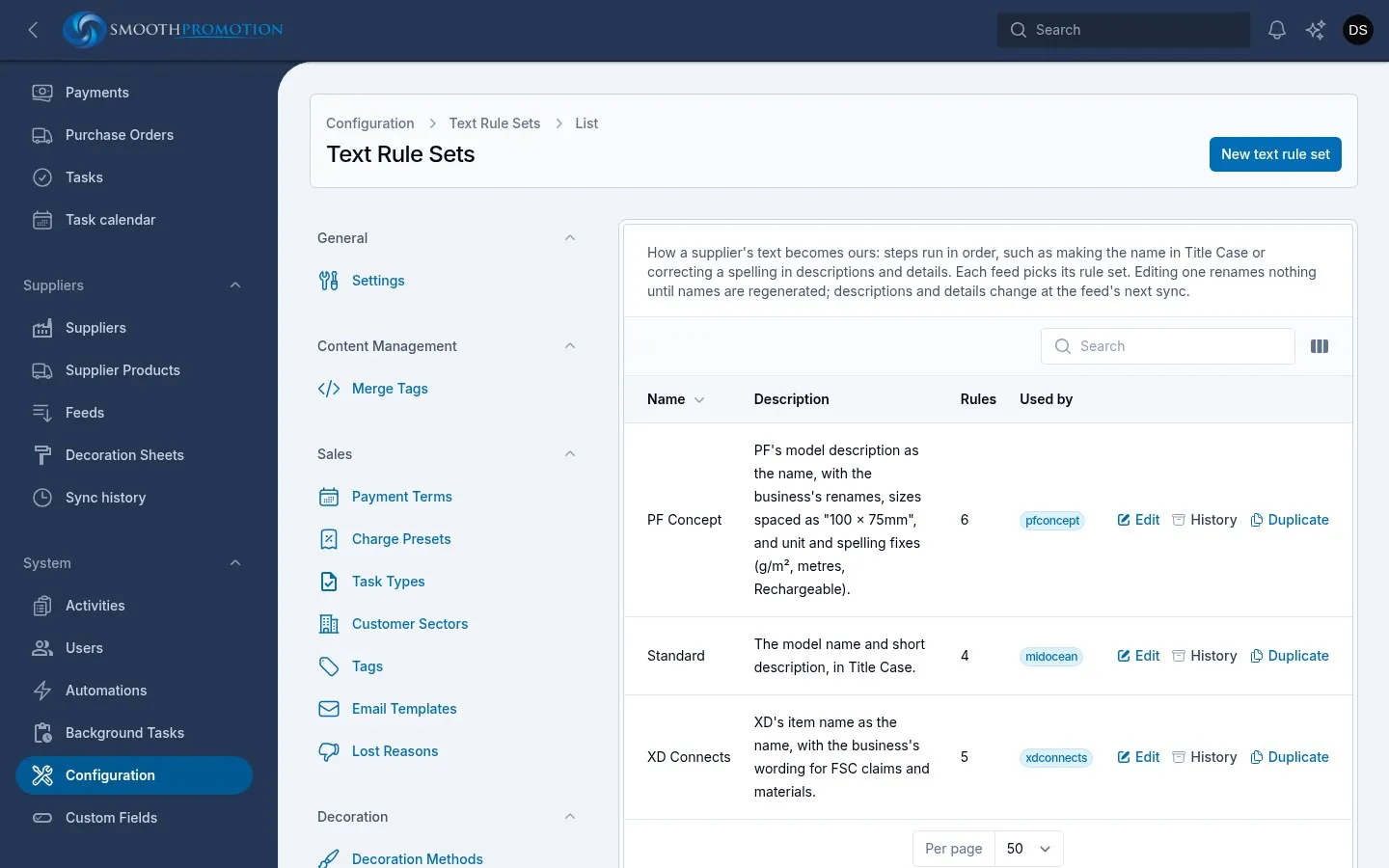
Section titled “Building a rule set”Go to Configuration > Catalog > Text rules. A rule set has a name, a description and a list of rules. Rules run in order, top to bottom, each working on the text the one before produced. Drag to reorder. On switches one off without deleting it.
| Rule | Works on | What it does |
|---|---|---|
| Compose from source fields | Name | Starts the name from the supplier’s fields, using a Template. Common fields work for every supplier: {{model}}, {{description}}, {{code}}, {{material}}, {{brand}}. Any other name is a field of that supplier’s own record |
| Title Case (keeping protected words) | Name | Capitalises the first letter of every word and lower-cases the rest. Protected words keep their spelling, and letters straight after a digit (15W, 240gr) stay as they are |
| Find and replace | Name, description, details | Replaces text, in order. Plain text ignores case unless Match case is on. A Regular expression is written with its delimiters |
| Exact names by supplier code | Name | Gives specific products a chosen name. Others pass through unchanged |
| Tidy spaces | Name, description, details | Turns runs of spaces into one and trims the ends. In a description or detail each line is tidied on its own and empty lines go, so paragraphs and bullet points stay |
Compose from source fields has two more settings:
- Required fields: if any of these is blank the product gets no name, so it cannot be added.
- Leave out a field the next one starts with: for a supplier whose description repeats the model. LOLA and “LOLA FRANCE T-SHIRT” give “LOLA FRANCE T-SHIRT”, not “LOLA LOLA FRANCE T-SHIRT”.
For rules that can work on several fields, Works on chooses which.
The name is built from nothing, so a rule set normally starts with Compose from source fields. A product whose name comes out empty can’t be added. A feed with no rule set uses the supplier’s own name as it is.
Duplicate copies a rule set with every rule, for a supplier that needs a variation. A rule set in use by a feed can’t be deleted.
Trying rules before you use them
Section titled “Trying rules before you use them”On a rule set’s edit page:
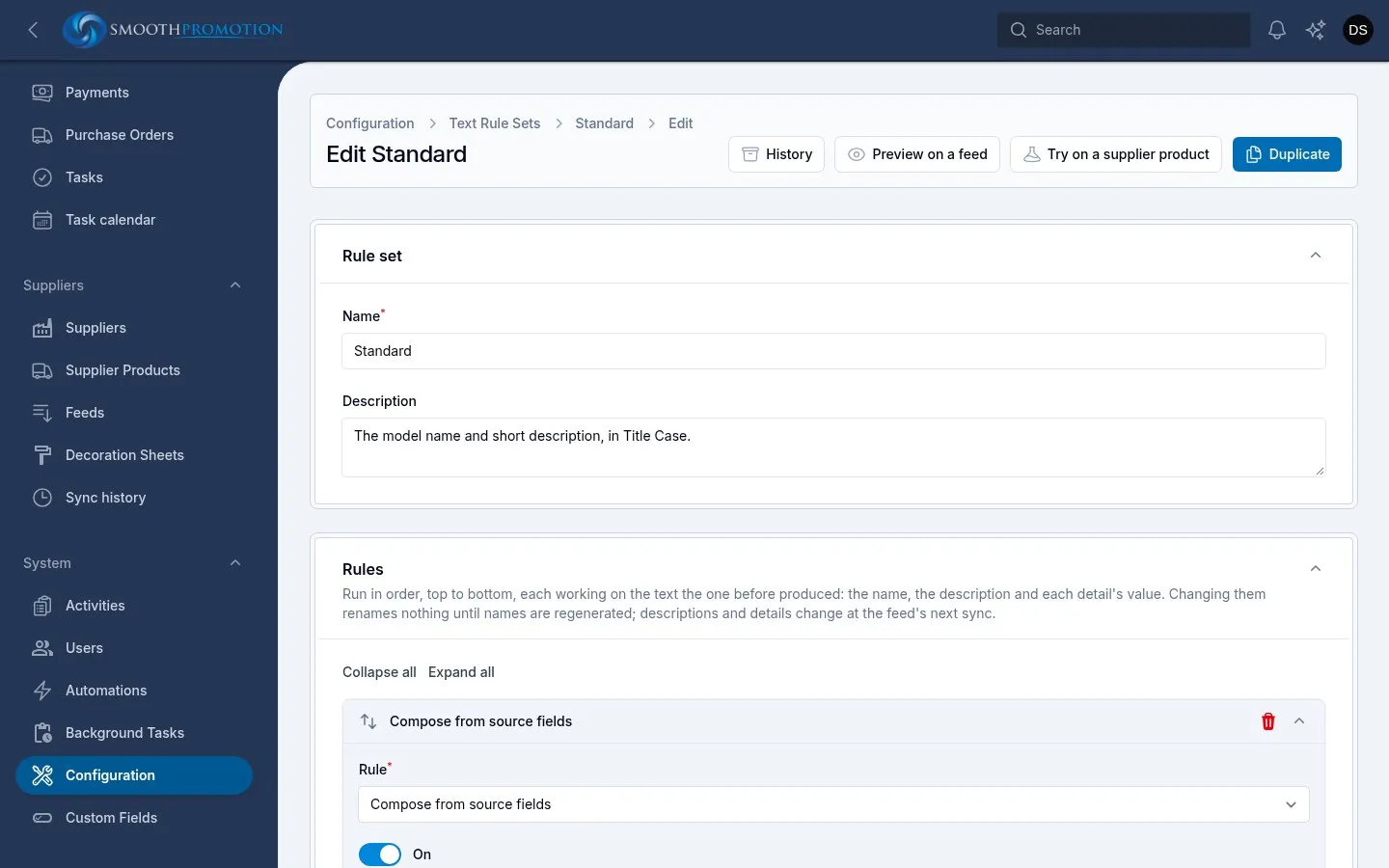
- Preview on a feed runs the rules as they are on the screen, saved or not, on every product the feed still offers. Nothing is changed. It shows how many products would change per field and per rule, and the first changes. Pick the field under Show changes to. A rule that shows none changes nothing, which may mean the feed changed under it.
- Try on a supplier product shows the name the saved rules give one product, by its Supplier code. Save your changes first.
Protected words
Section titled “Protected words”Configuration > Catalog > Protected words lists words names always spell exactly as listed: acronyms, brand names and units, such as USB, PVC, RPET, iPhone or mAh. Every rule set’s Title Case rule uses them. Changes apply the next time names are generated.
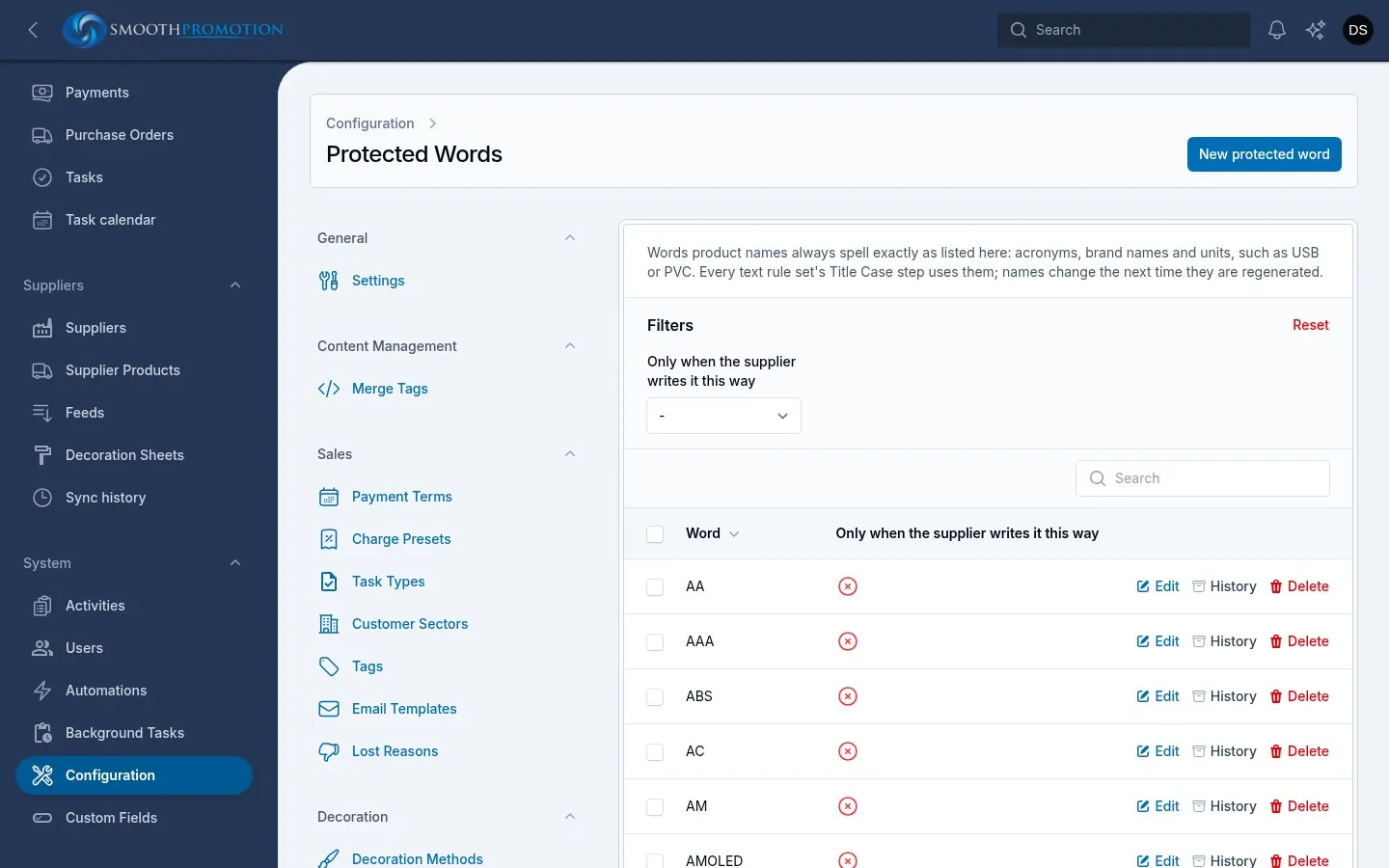
Only when the supplier writes it this way is for words that are also ordinary words: US the country but not “us”, PET the plastic but not a pet bowl.
Protected words only affect the Title Case rule, and so only names.
Regenerating names
Section titled “Regenerating names”- Go to Catalog > Products. To cover one feed, filter by From.
- Select the products.
- Choose Regenerate names from rules from the bulk actions.
- Read the preview, then choose Regenerate names.
The preview counts every selected product and lists the first 50 that are affected, showing the name Now and From the rules:
| Count | Meaning |
|---|---|
| Will change | The rules give a different name, and it will be used |
| Already named by the rules | Nothing to do |
| Renamed by hand, kept | Someone changed this name. It stays unless you tick the overwrite option |
| Not from a supplier | No rules apply |
| The rules give no name, kept | The name stays as it is |
Also overwrite names renamed by hand includes the ones renamed by hand. That undoes their edits, so check the list first.
What to expect:
- URLs don’t change. The address stays, even when the name does.
- A split-off keeps its added text, such as “ - White”.
- The work runs in the background and you are notified when it is done.