

URLs and redirects
Each site builds its own URLs, so the same product can live at different addresses on different sites. Everything on this page is per site, apart from an entry’s base slug.
For any entry, the URL on a site comes from the first of these that applies:
- Its custom URL for that site.
- The site’s path generation rule for its type, using its slug on that site if it has its own.
How URLs are built
Section titled “How URLs are built”Open the site, then Path Generation. There is one rule per type, and a type not listed uses the default: the slug alone, with no prefix. Add one with Add Path Generation Rule.
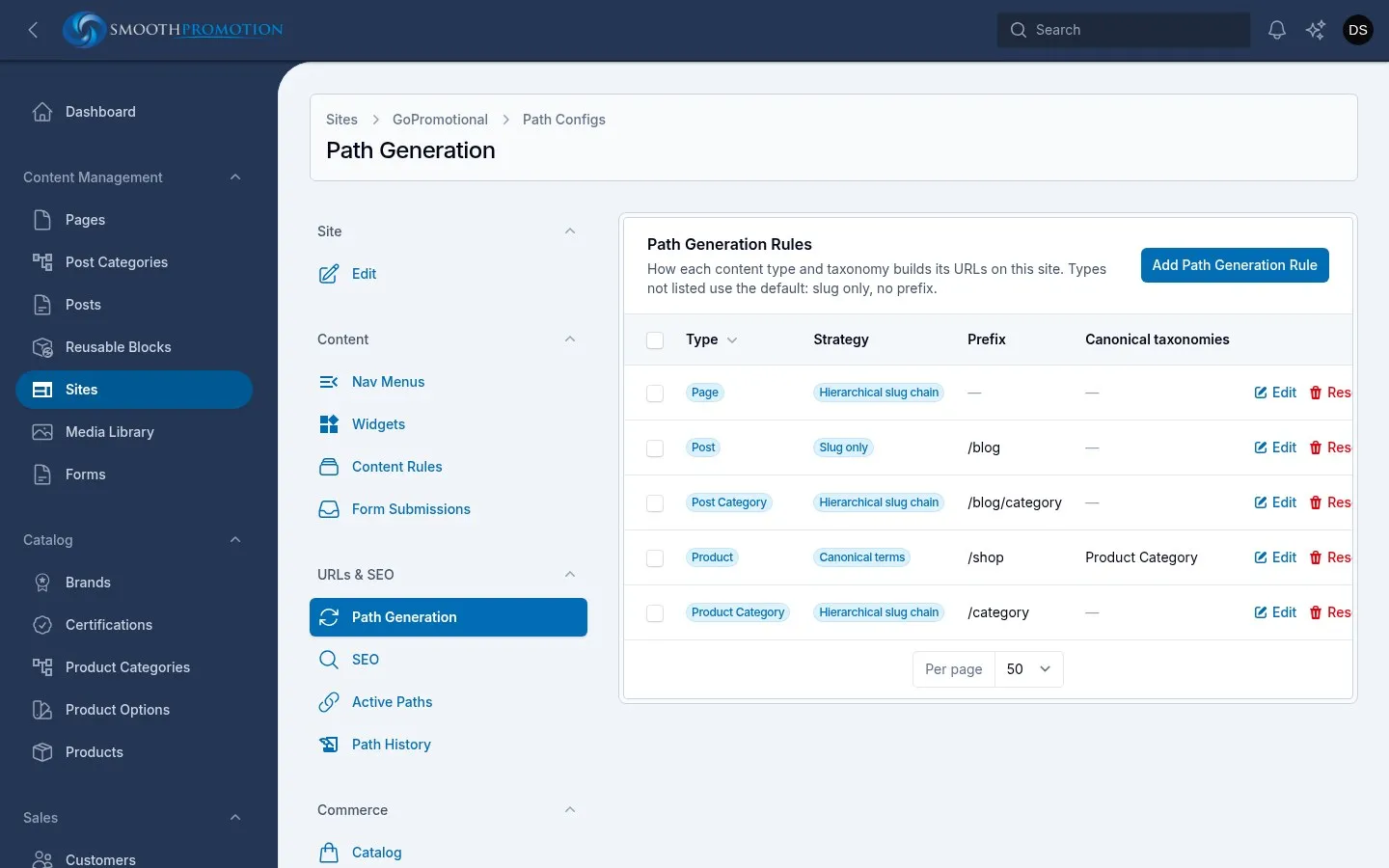
| Field | What it does |
|---|---|
| Type | The content type or taxonomy. It can’t be changed afterwards. |
| URL strategy | How the path is built. Only those that suit the type are offered. |
| Path prefix | Optional leading part, such as blog or shop/products. No leading slash. |
| Strategy | Result | For |
|---|---|---|
| Slug only | /prefix/my-page |
Any type |
| Hierarchical slug chain | /prefix/parent/child/my-page |
Types with parents, such as pages and categories |
| Canonical terms | /prefix/category/my-product |
Content filed under a taxonomy, such as posts and products |
Parents that aren’t on the site are left out of a hierarchical chain, so the URL only names things the site actually shows.
Canonical terms has further settings:
- Canonical taxonomies: which taxonomies can name the path. In the order you select them, the first that has a term for the entry wins.
- Include taxonomy ancestor chain in the path:
/parent-category/category/my-productrather than/category/my-product. - Fall back to slug-only when no term resolves: on by default. Turned off, an entry with no usable term has no URL on this site.
The term used is the entry’s primary term for that site. It is picked automatically from the terms the entry has on the site, or you can choose it on the entry’s Primary Terms tab (Set primary term). Reset to automatic goes back to the automatic pick.
Reset to default on a rule deletes it, so the type returns to the slug alone.
Checking what is live
Section titled “Checking what is live”Active Paths lists everything live on the site and the URL it has, with filters for Type and Status. It is read-only: you fix a problem at its source, not here. Indexed (a column you can switch on) says when each row was last rebuilt.
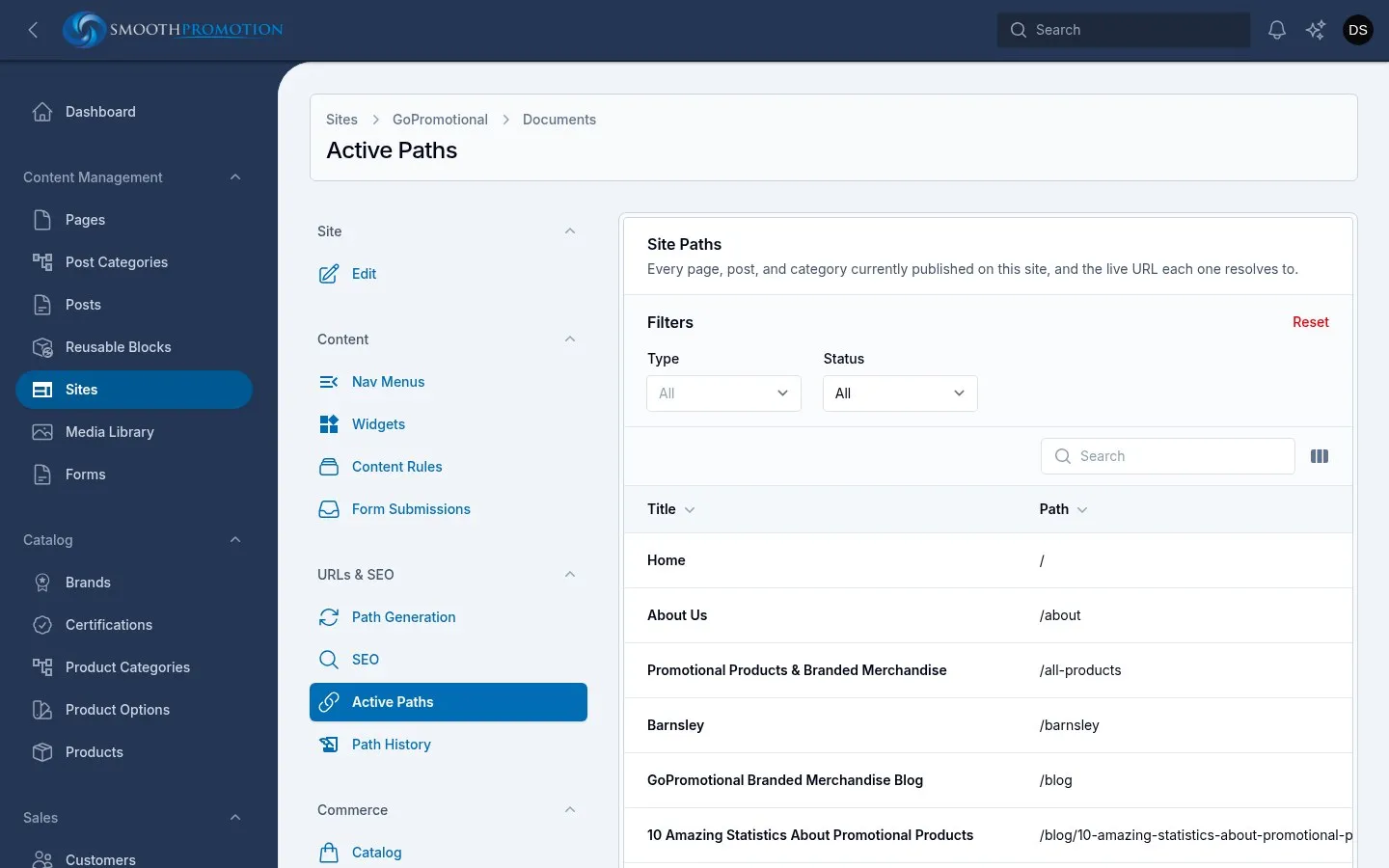
| Status | Meaning | What to do |
|---|---|---|
| Resolved | It has a working URL. | Nothing. |
| Conflicting | Another entry already holds the URL. The list says which, as “Wants /x, already taken by …”. This one has no URL for now. | Change one’s slug, or give one a custom URL. |
| Unaddressable | A URL can’t be built, for example no primary term with the fallback off, or a path starting with a reserved word. | Fix the term, the rule or the slug. |
When two entries want the same URL, the one already holding it keeps it. An established URL doesn’t break because something newer collides with it.
An entry’s own Active Links tab shows the same thing across every site.
Redirects and retired URLs
Section titled “Redirects and retired URLs”Path History lists old URLs on the site. Most rows appear on their own:
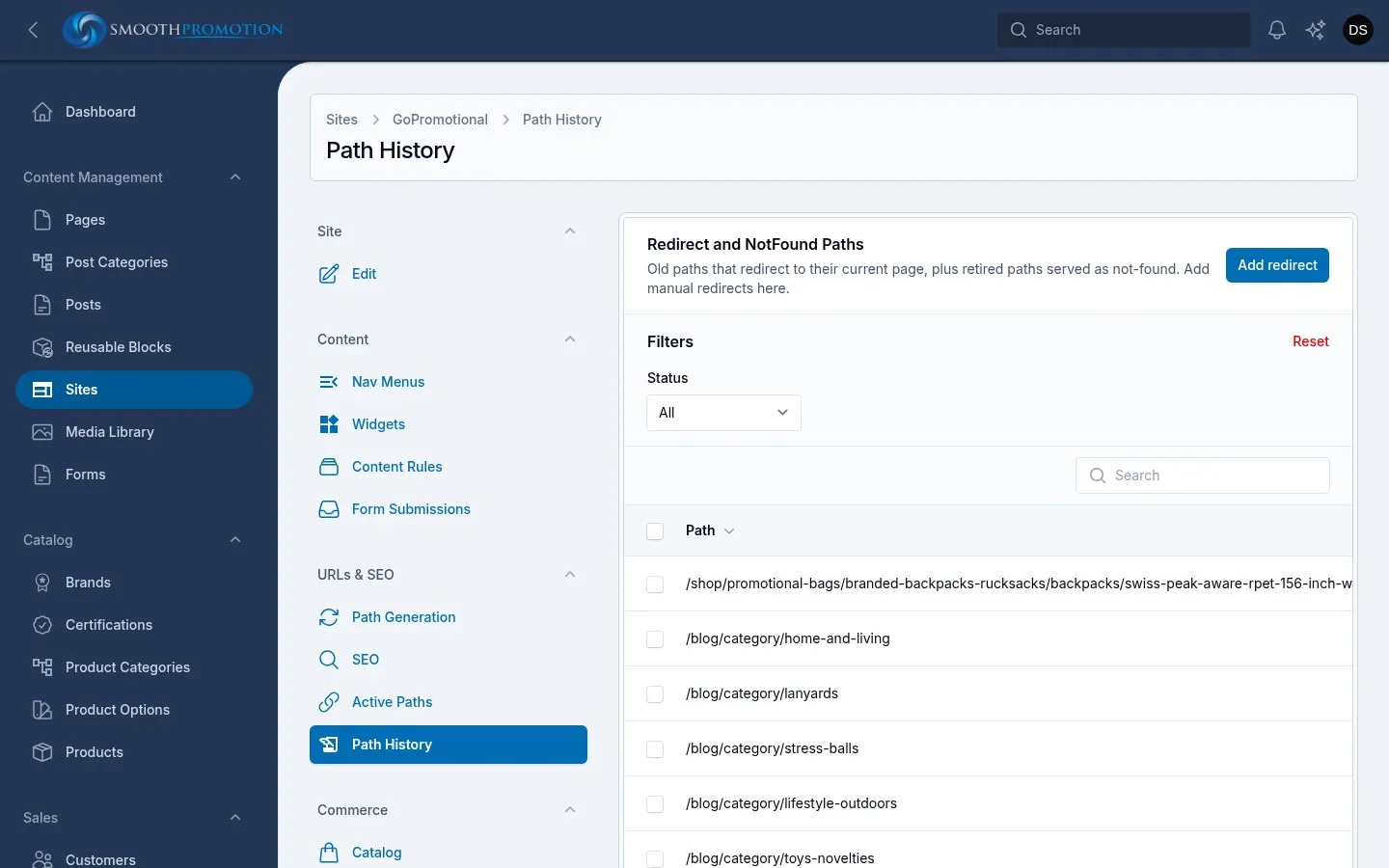
| What happened | What the old URL does |
|---|---|
| A slug, parent, rule or custom URL changed | 301 Redirect to the entry’s current URL. |
| The entry was deleted | 410 Gone, and its existing redirects turn to Gone too. |
A redirect always goes to the entry’s current URL, so it stays right if the entry moves again, and never chains through other redirects. If the entry is no longer on the site, Redirects to shows Target unavailable (410) and visitors get a 410 until it returns.
If a new entry claims a URL that is in the history, the live page wins and the history row is removed.
An entry’s own Redirects tab shows its old URLs across every site.
Adding a redirect
Section titled “Adding a redirect”Add redirect points an old URL at an entry on this site:
- Old path: the URL to redirect from, such as
old-blog/my-post. It can’t be one that is live, one already in the history, or one starting with a reserved word. - Redirect to: anything live on the site.
This is the way to catch URLs from an old site, or those of content you took off the site. You can only redirect to entries, not to outside addresses.
Removing a redirect
Section titled “Removing a redirect”- Mark as Gone turns a redirect into a 410, telling search engines the page is gone for good. There is no button to turn it back, so delete it and add a new redirect if you change your mind.
- Delete removes the row, and the URL becomes a plain not-found page. It can’t be undone.
A custom URL for one entry
Section titled “A custom URL for one entry”For one exception, use Site Path Overrides on the entry’s edit page, in its details, below the slug. Add Path Override, choose the Site, and type the URL path. It replaces the whole generated URL on that site, whatever the rule says. It appears only once the entry has been created.
The path takes lowercase letters, numbers and hyphens in each part, must not already be used by another
entry on the site, and can’t start with a reserved word: admin, api, login, logout, register,
password, storage, livewire, horizon or telescope.
Removing the row returns the entry to its generated URL. Either way, the old URL redirects.
To change only the slug and keep the pattern, use a slug override.
When changes take effect
Section titled “When changes take effect”| You change | Takes effect |
|---|---|
| An entry’s title, slug, status or parent | That entry at once, on every site. Children, and content whose URL includes it, follow in the background. |
| A per-site wording override or custom URL | That entry at once, on that site. |
| A primary term | That entry at once, on that site. |
| The site’s front page | At once. |
| The site’s SEO defaults | At once. |
| A content rule | Background rebuild of the type on that site. |
| A path generation rule | Background rebuild of the type on that site. |
| An SEO template | Background rebuild of the type on that site. |
A background rebuild needs the queue workers running, and takes longer on the full catalog. The site keeps serving its current URLs until each rebuild finishes. If one seems stuck, see background tasks.