

Content rules
Content rules decide what a site carries. They are the only way to do so: nothing appears on a site because of where it was created, and a site with no rules carries nothing. The one exception is the site’s front page.
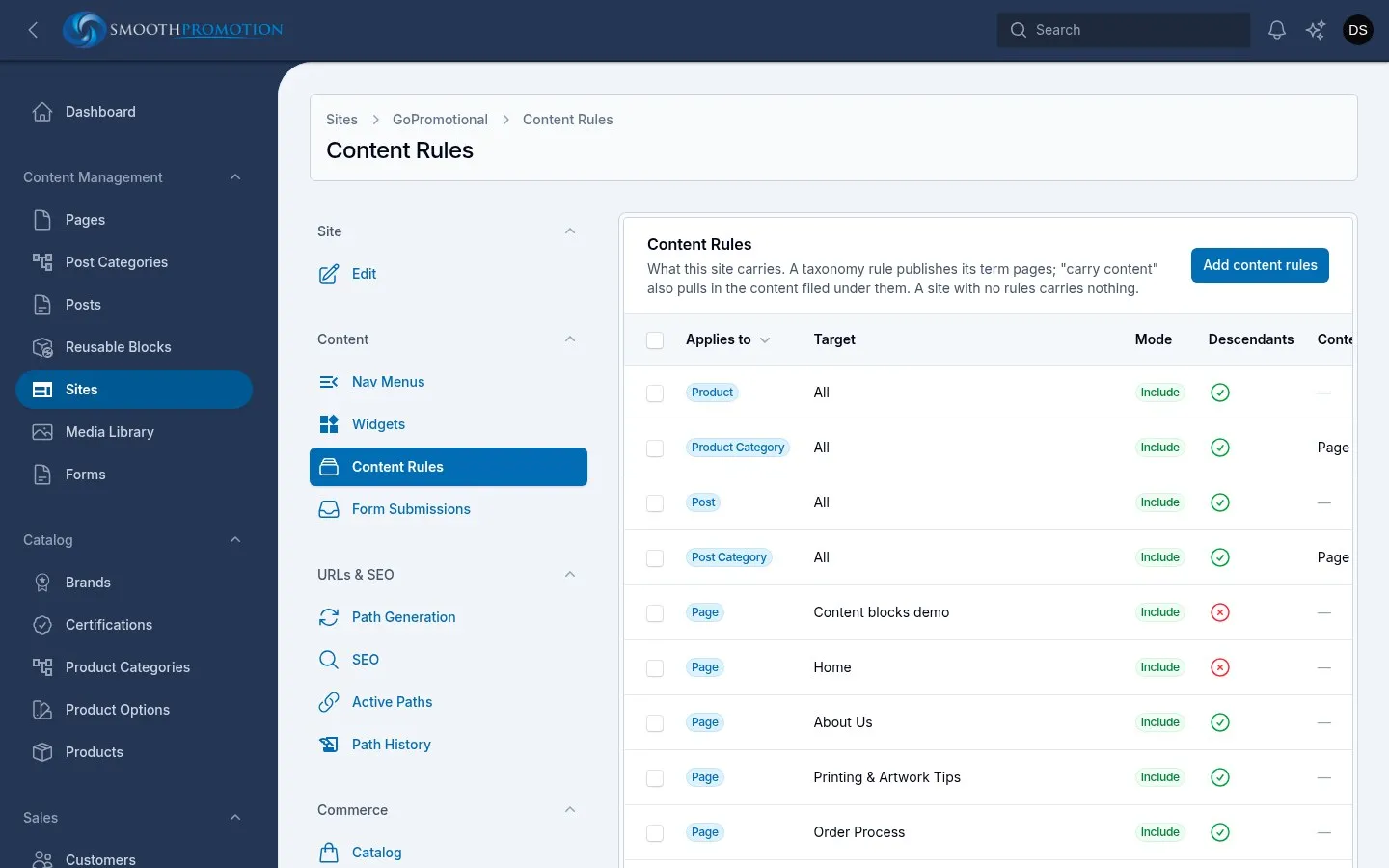
Open the site, then Content Rules. Rules apply to that one site.
Adding rules
Section titled “Adding rules”Use Add content rules:
| Field | What it does |
|---|---|
| Applies to | A content type (such as Page, Post, Product) or a taxonomy (such as Post Category, Product Category). |
| All of this type | One rule covering every row of the type. New ones are picked up automatically. |
| Targets | Otherwise, which ones. A category type shows its tree; the rest are a searchable list. |
| Mode | Include puts them on the site, Exclude takes them off. |
| Include descendants | For a type with parents and children: reach the whole subtree. On by default. |
| Also carry its content / Also remove its content | For a taxonomy only: see below. Off by default. |
Pick several targets and each becomes its own rule with the same settings. To reach a whole branch, one rule on its top category with Include descendants on is enough, and categories added under it later are covered.
Edit changes one rule, and Delete removes it.
Categories and their contents
Section titled “Categories and their contents”A rule on a category publishes the category’s own page. It says nothing about the products or posts filed under it unless you also turn on Also carry its content. The list’s Content column shows which you have:
| Content column | Meaning |
|---|---|
| Page only | Only the category’s own page is affected. Its content is left alone. |
| Carries | The category page, and everything filed under it, are on the site. |
| Removes | The category page, and everything filed under it, are off the site. |
| (dash) | A rule on a content type, which names its rows directly. |
So a category can be on a site and look empty, if nothing else brings in its products. For a site with the whole catalog, you need both rules: all of Product, and all of Product Category. For a narrower site, use Include rules on the categories it sells, with Also carry its content on.
How rules combine
Section titled “How rules combine”- A site carries what any Include rule reaches, minus what any Exclude rule reaches. Exclude always wins, and the order of the rules doesn’t matter.
- A product in two categories is carried if either brings it in, and is removed if an Exclude rule reaches it through either.
- Rules never put unpublished content live. A draft, or a post scheduled for later, can be included by a rule but stays hidden until its time comes. Available On on the entry lists it as Not live.
- If a category is on the site but its parent isn’t, it moves up to hang off its nearest parent that is on the site, in menus and in URLs built from the hierarchy.
Whatever a site doesn’t carry disappears from it everywhere: a menu item pointing at it is left out rather than shown as a dead link, and pickers for that site don’t offer it.
After you save
Section titled “After you save”A rule rebuilds that whole type on that site in the background. A small site is quick; on the full catalog it takes longer. Watch Active Paths fill or empty, or see background tasks if nothing seems to happen.