

Background tasks
Big jobs run in the background so you can keep working: the screen tells you the job is on its way, and it finishes on its own a little later. That is why some changes don’t show straight away.
The Background Tasks screen
Section titled “The Background Tasks screen”System > Background Tasks lists long jobs, newest first, and refreshes itself. Every member of staff can open it and see everyone’s tasks, so you can see what a colleague or the system has started. Nobody can edit, stop or delete a task here.
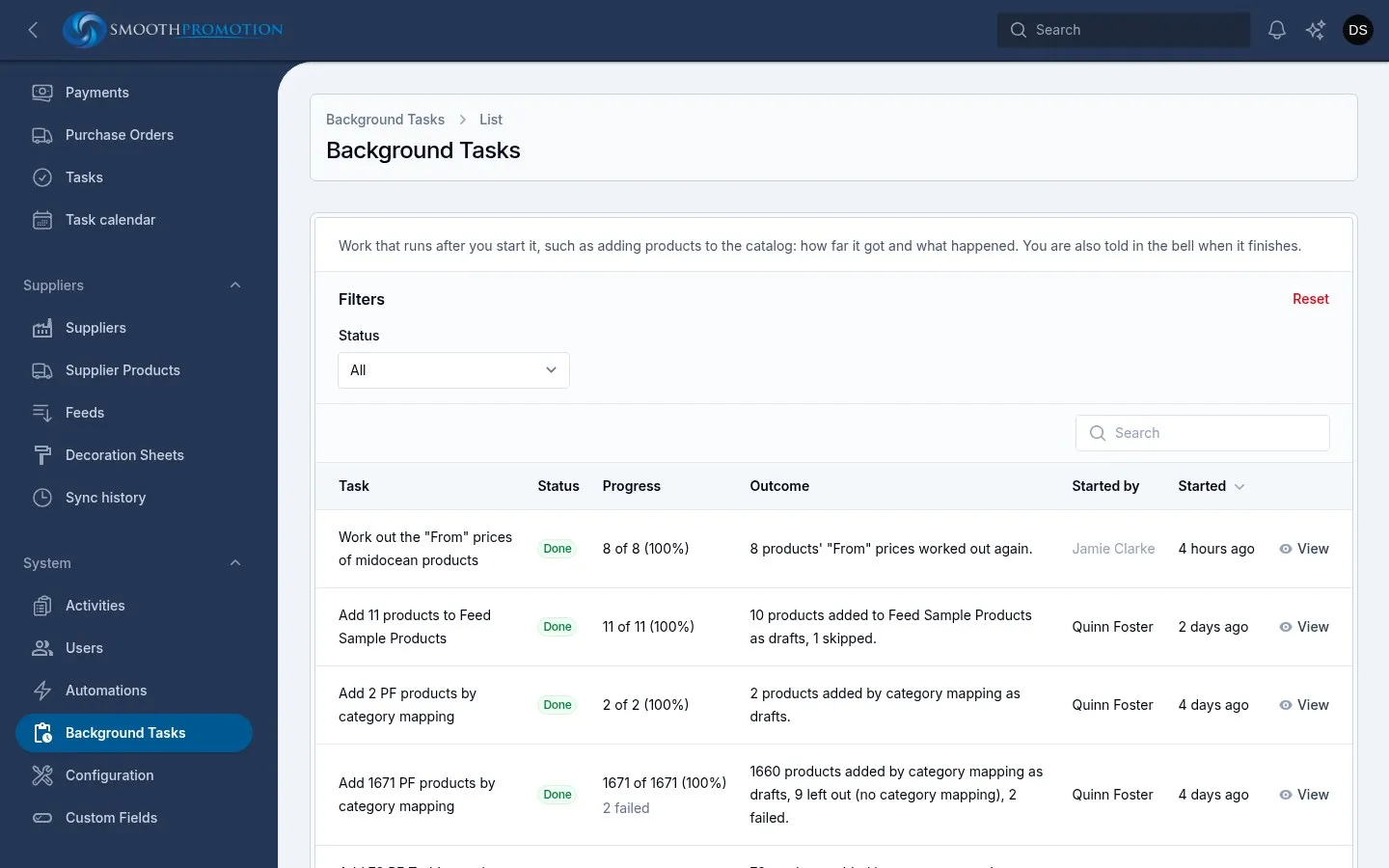
| Column | Shows |
|---|---|
| Task | What it is doing |
| Status | See below |
| Progress | For example “25 of 40 (62%)”, with any failures underneath |
| Outcome | The summary when it ends |
| Started by | The person, or System |
| Started | How long ago |
| Status | Meaning |
|---|---|
| Waiting | Queued, not started |
| Running | Under way |
| Done | Finished. Some items may still have failed, so check the count |
| Failed | Stopped with a problem |
Open a task to see its Details: each item that needs attention, What happened, and a link to open it where there is one. When a task you started ends, your bell tells you, with a link to it.
Tasks shown here are:
- Add to catalog, from Supplier Products
- Working out products’ “From” prices again, after a change that affects them
- Applying decoration sheets to products
Finished tasks are deleted after 30 days unless that has been changed under Housekeeping.
What else runs in the background
Section titled “What else runs in the background”Not all background work appears on that screen. Here is what you might notice:
| You did this | What happens | How you find out |
|---|---|---|
| Saved one page, post or product | That record’s own availability and address on each site update immediately | Nothing to wait for |
| Changed a category’s address or parent | The category updates at once. Categories under it and the content in it catch up shortly after, on every site | Old addresses redirect as they change |
| Changed a site’s content rules or URL patterns | That content type is rebuilt for that site. On a full catalog this can take a little while | The site changes when it finishes. There is no message |
| Ran a bulk action on products or posts | The change runs, then the affected records are refreshed on the sites | A message in your bell with how many were updated and skipped |
| Started a feed sync | It runs in the background, one per feed at a time | Suppliers > Sync history, see Syncing |
| Added products from a feed | The products are made, and their photos and documents download separately | The task above. Photos can finish after the task does |
| Changed a site’s theme | The site’s images are regenerated for the new theme | Images settle when it finishes |
| Asked for an export | The file is made | The bell, with the download link |
What runs by itself
Section titled “What runs by itself”Some work happens on a timer, with nobody starting it:
| When | What |
|---|---|
| Every minute | Automations that are due |
| Every 5 minutes | Scheduled pages and posts go live, so one can appear up to about 5 minutes after its time. Feeds due a sync start, one at a time |
| Hourly | Carts idle too long are marked abandoned, and eligible ones get a reminder. Reviews for the reviews widget refresh |
| Overnight | The Housekeeping clean-ups, exchange rates, and invoices past their due date are marked overdue |
The queues screen
Section titled “The queues screen”The queue itself has a technical screen at /horizon, showing workers, waiting jobs and failed jobs.
Only super admins can open it, and it is reached by typing its address: there’s no link in the
panel. You shouldn’t need it day to day.
Work is split so the slow part doesn’t hold up the rest. Photo downloads and image work have their own lane, separate from syncs, bulk changes and Add to catalog.
Mister Smoothie’s chats run on their own lane too, so they aren’t held up by any of this.
If nothing in the background seems to be moving (tasks stuck on Waiting, exports never arriving), tell a developer or a super admin. The queue workers may have stopped.